Artmaking
4 Complete the other sections
Repeat the process you used to create the centre square to complete the other three sections of the template. Each section is shown by a different colour: green, blue, yellow and red.
- Use a different photograph or select a different area of the same photograph for the other sections.
- With the remaining sections, the segments do not form a solid square but do always mirror each other.
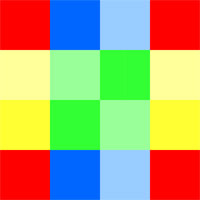
The colours in the template (green, blue, yellow and red) help you place the four images in the montage. For example, one image will be placed four times to replace the blue (dark and light) squares; they will then be flipped to mirror each other.